


Buying refurbished
Refurbished grades
explained
Very Good, Good and Fair describe how a device looks, and nothing else. Here's what each grade means, how they compare to Grade A, B and C, and how we test every battery.

The short version
Our grades, Very Good, Good and Fair, describe how a refurbished device looks and nothing else. Every device works to the same standard whatever its grade, and battery health is listed separately.
Buying a refurbished laptop online means trusting a word like "Good" to tell you what turns up at your door. That word means different things on different sites. Sometimes it describes how the device looks. Sometimes it's a mix of looks and how well it works, and you can't tell which.
At Edinburgh Remakery, every laptop, desktop and tablet we sell has been tested and repaired by our technicians in Leith to the same working standard, whatever its grade. A Fair laptop works just as well as a Very Good one. It just has more marks to show for its first life.
We're a Microsoft Authorised Refurbisher and a certified eBay Refurbished seller, and we're certified to ISO 27001:2022 for information security.
If you've seen Grade A, B or C on other sites, there's a comparison further down.
How grading works
One working standard, three grades
Before anything gets a grade, it has to pass. That means the data is wiped, faults are repaired, the battery holds its charge at 70% health or above, and a second technician checks the keyboard, ports, drivers, screen and every other component, retests the battery and makes sure it's clean. If a device can't be brought up to that standard, it isn't sold.
Only then does our listing team grade it, and the grade is purely cosmetic. It describes scratches, scuffs, dents and marks on the case and screen. It doesn't describe speed, reliability or how long the device will last.
All three grades are tested to the same standard. Only the cosmetic condition changes.
Battery health is the one thing that varies in how a device performs, so we list it separately on every product, in two bands. That way you can choose how it looks and how long the battery lasts as two separate decisions.
The grades
The grades in detail
Very Good
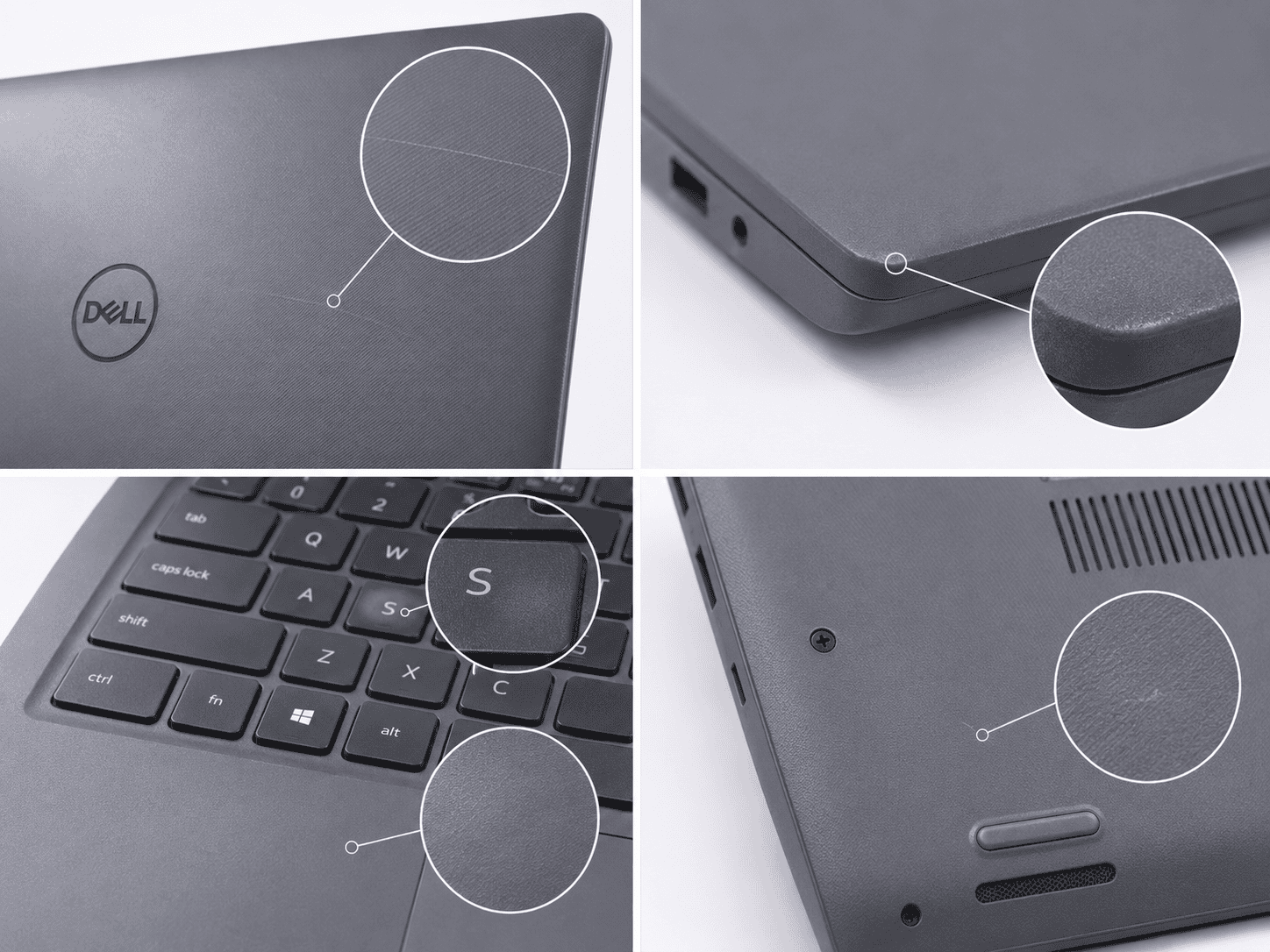
Very Good devices have had a careful first owner. Look closely and you may find a faint mark on the lid or a little shine on the keys. From a normal distance, most people wouldn't spot them.
- You'll see
- Minor signs of use. Light marks you'd only notice up close.
- You won't see
- Dents, cracks or screen marks
- Best for
- Gifts, or anyone who wants it to look close to new
Good
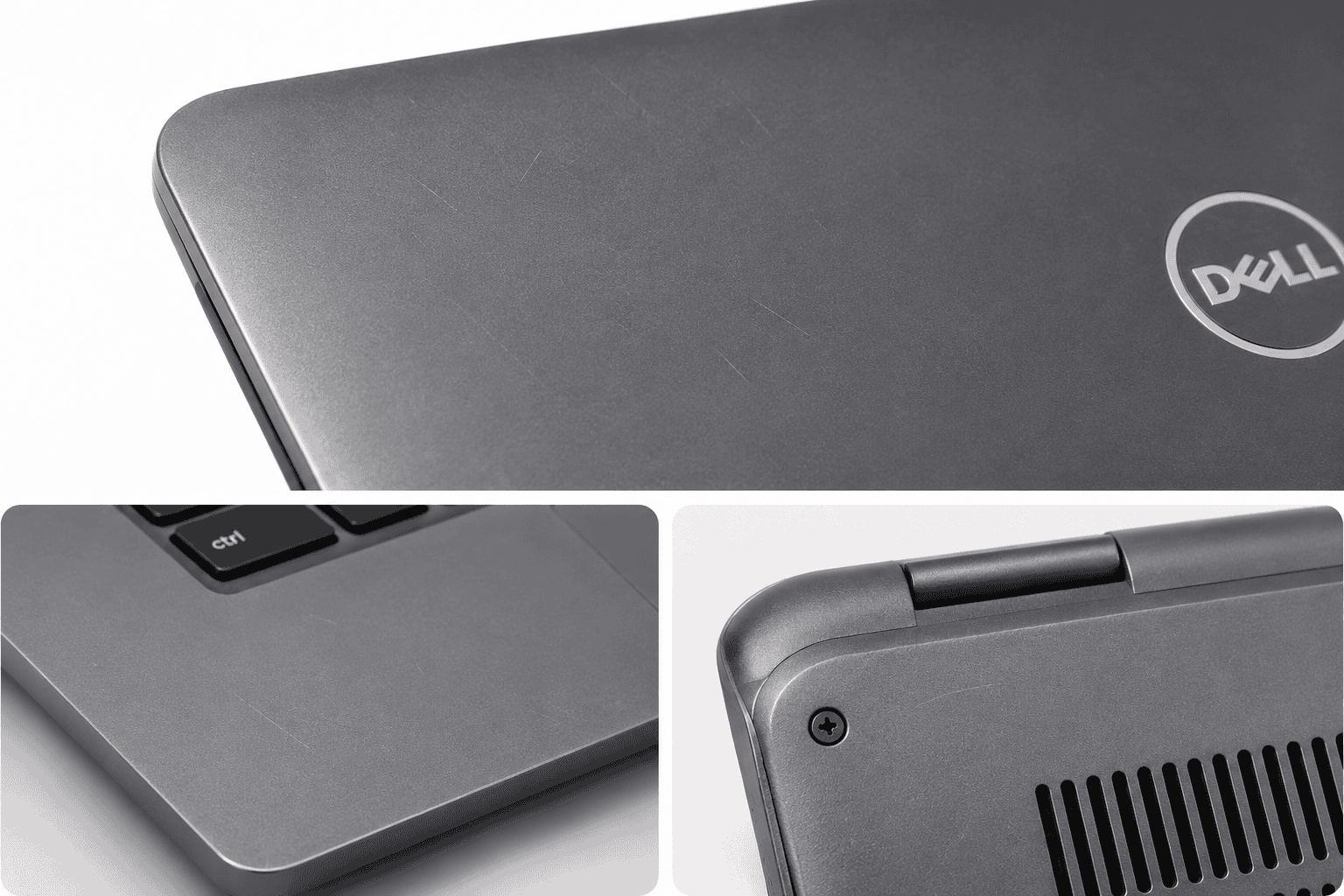
Good devices have been used and look it, but only on the surface. Expect scratches on the lid or base that you can see but not feel. The screen is clear.
- You'll see
- Moderate wear. Superficial scratches on the body.
- You won't see
- Cracks, chips or screen blemishes
- Best for
- Everyday use at a lower price
Fair
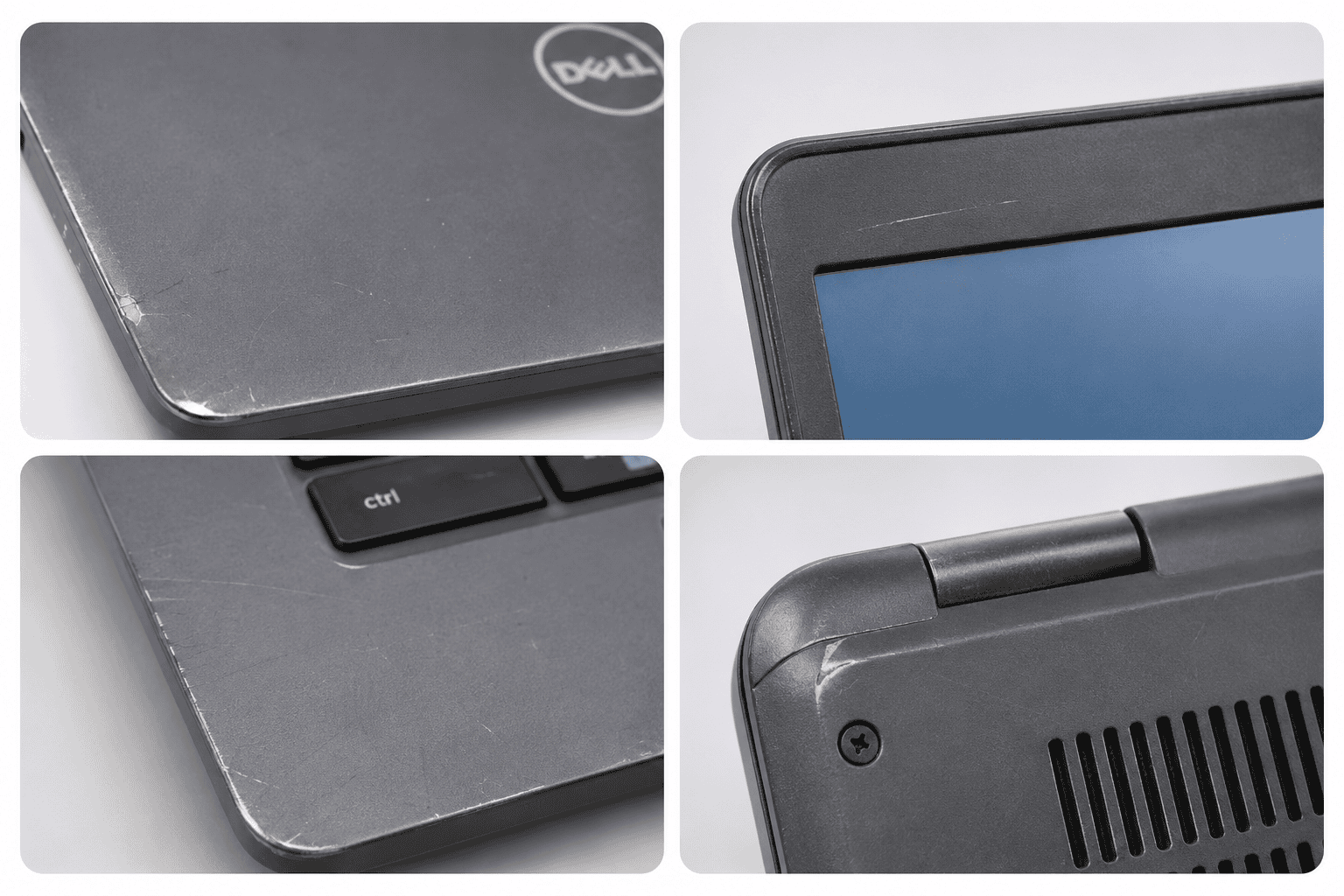
Fair devices have the most visible history. That might be a chip in the paint, a crack in a corner of the casing, or a faint blemish on the screen. Every Fair listing says exactly what the marks are, in the title, the description and the photos, so nothing comes as a surprise.
- You'll see
- Clear wear. This can include chipped or peeling paint, scratches, cracks to the body or frame, and possible screen blemishes.
- You won't see
- Anything that stops it working
- Best for
- The lowest price, for people who care how it runs, not how it looks

"A scratched lid doesn't bother me. What bothers me is a laptop that looks perfect and won't hold a charge. That's what we're actually testing for."
Comparing sellers
Grade A, B or C? How our grades compare
Grade A, B and C are a trade convention, not a standard. There's no official body behind them, and every seller defines them in its own way. As a rough guide:
| Letter grade | What it usually means | Closest Remakery grade |
|---|---|---|
| Grade A | Near mint, little sign of use | Very Good |
| Grade B | Light scratches or scuffs | Good |
| Grade C | Clear wear, still working | Fair |
The names don't line up between sites either. Our top grade is Very Good, but on eBay Refurbished, Very Good is the third of four steps, below Certified and Excellent. Back Market's top grade is Premium, followed by Excellent, Good and Fair. Whoever you buy from, read that seller's own definition of the grade you're choosing.
How UK sellers grade
| Seller | Grades, best first | Battery minimum | Warranty | Same standard for every grade? |
|---|---|---|---|---|
| Edinburgh Remakery | Very Good, Good, Fair | Two bands, 70 to 80% and 80%+, shown on every listing | 12 months on every device, plus 30-day returns | Yes |
| Back Market UK | Premium, Excellent, Good, Fair | 80%, or 90% for Premium | 12 months, given by the seller, plus 30-day returns | Yes |
| eBay Refurbished UK | Certified, Excellent, Very Good, Good | 80% | At least 12 months, given by the seller, for mainland UK addresses, plus 30-day returns | Yes |
| Stone Refurb | Open-box, Ex-Demo, Grade A (Excellent), Grade B (Good), Grade C (Fair) | 80% for phones and tablets. Not stated for laptops. | 12 months, with 2 or 3 years available to buy. Not included on their eBay sales unless stated. | Yes |
Battery health
Battery health, listed separately
Every battery loses capacity as it ages, so a used laptop won't last as long on a charge as it did when new. Battery health is the percentage of its original capacity that's left. We test every battery and list it in one of two bands.
At least four fifths of the original capacity. If we've fitted a new battery, the device is always listed as 80%+.
Still holds a good charge, but expect shorter time away from the plug.
Battery band and cosmetic grade are independent. A Fair laptop can have an 80%+ battery, and a Very Good one can sit in the 70 to 80% band. Pick the grade for how much you mind the marks, and the battery band for how often you'll be away from a socket.
Some large sellers set a minimum of 80% and won't sell below it. We'd rather not scrap a working battery, so we sell some devices in the 70 to 80% band, show the band on every listing, and price them to match.
How we test it
Every laptop is charged overnight, then checked to see whether it holds that charge. MacBooks report their own battery health and charge cycles. On Windows laptops, our technicians read the battery's capacity with dedicated battery health software, which gives a percentage. If health is below 70%, the battery is replaced and the old one is recycled. At the second check, the battery is tested again with a program called Hardware Monitor. If the laptop's BIOS is out of date, it's updated first, because an old BIOS can hide battery details.

"Most of our laptops come from businesses, where they've been used hard all day, every day. The battery's usually the first thing to go, so it's the part we replace most."
Know the difference
Not all damage is the same
A scratch, a dent, a cracked bezel and a screen blemish can all sound like "damage". To a technician they're four different things, and only some of them matter beyond looks.
Scratch
A surface mark on the case. It doesn't affect how the device works.
Can appear in: Good, Fair (light marks in Very Good)
Dent
The case pushed in, usually from a drop. A dent in the lid can damage the screen underneath, so the screen is tested and replaced if it's faulty.
Can appear in: Fair
Cracked bezel or frame
A crack in the plastic or metal around the screen or body. This can appear on a Fair device, but it's always clearly noted in the title, the description and the photos.
Can appear in: Fair
Screen blemish
With a blemish, every pixel still works, but one patch of the screen is slightly less bright. A dead pixel is different: a single tiny dot that doesn't light up at all. We try to repair dead pixels. If we can't, we may still sell the device, and the listing will clearly say it has a dead pixel.
Can appear in: Fair
Our process
From donation to working order
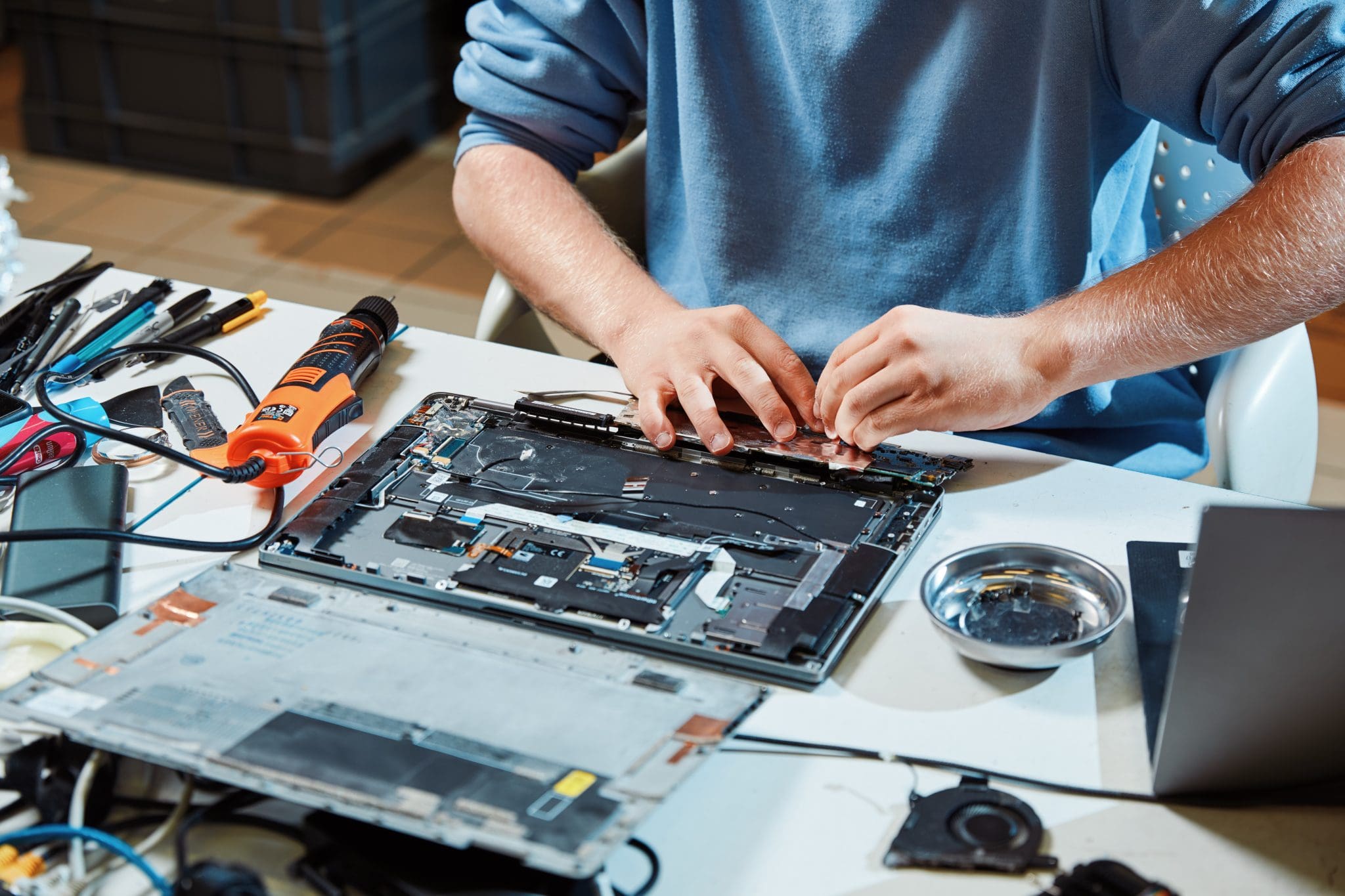
Most of what we sell starts as a donation from a person, a school or a business. Here's what happens next.
- Data wiped. Every drive is erased and checked with certified software, or destroyed if it can't be. More on this below.
- Checked over. The faults we see most are laptops that won't boot, batteries that won't hold a charge, and keyboards with dead or missing keys.
- Repaired. Batteries are the part we replace most often, followed by RAM and SSDs. Many of our laptops come from businesses, where they've had years of heavy daily use.
- Battery tested. Charged overnight, then checked. Anything under 70% health gets a new battery.
- Cleaned. A clean device is part of the job, not an extra.
- Checked again by a second technician. A different technician goes over everything again, so anything missed first time, or knocked during cleaning, gets caught before sale. They check:
- the physical quality, including the keyboard and ports
- the drivers
- the screen and every other component
- the battery, retested with Hardware Monitor
- that it's clean, with another dust and wipe if it needs one
- Graded and listed. Our ecommerce team grades the cosmetic condition, photographs it and puts it on sale.
Not every device makes it. When a laptop can't be brought up to standard, its working parts are taken out to fix other machines.

Anything that can't be repaired or used for parts is recycled responsibly. See what happens to e-waste.
What happens to the data
Every drive is erased with CEDAR Enterprise, software certified by ADISA and the US National Institute of Standards and Technology (NIST). The method matches the type of drive: NIST SP 800-88 Purge for hard drives, and IEEE 2883-2022 for solid state drives. The software then checks that the data has gone.
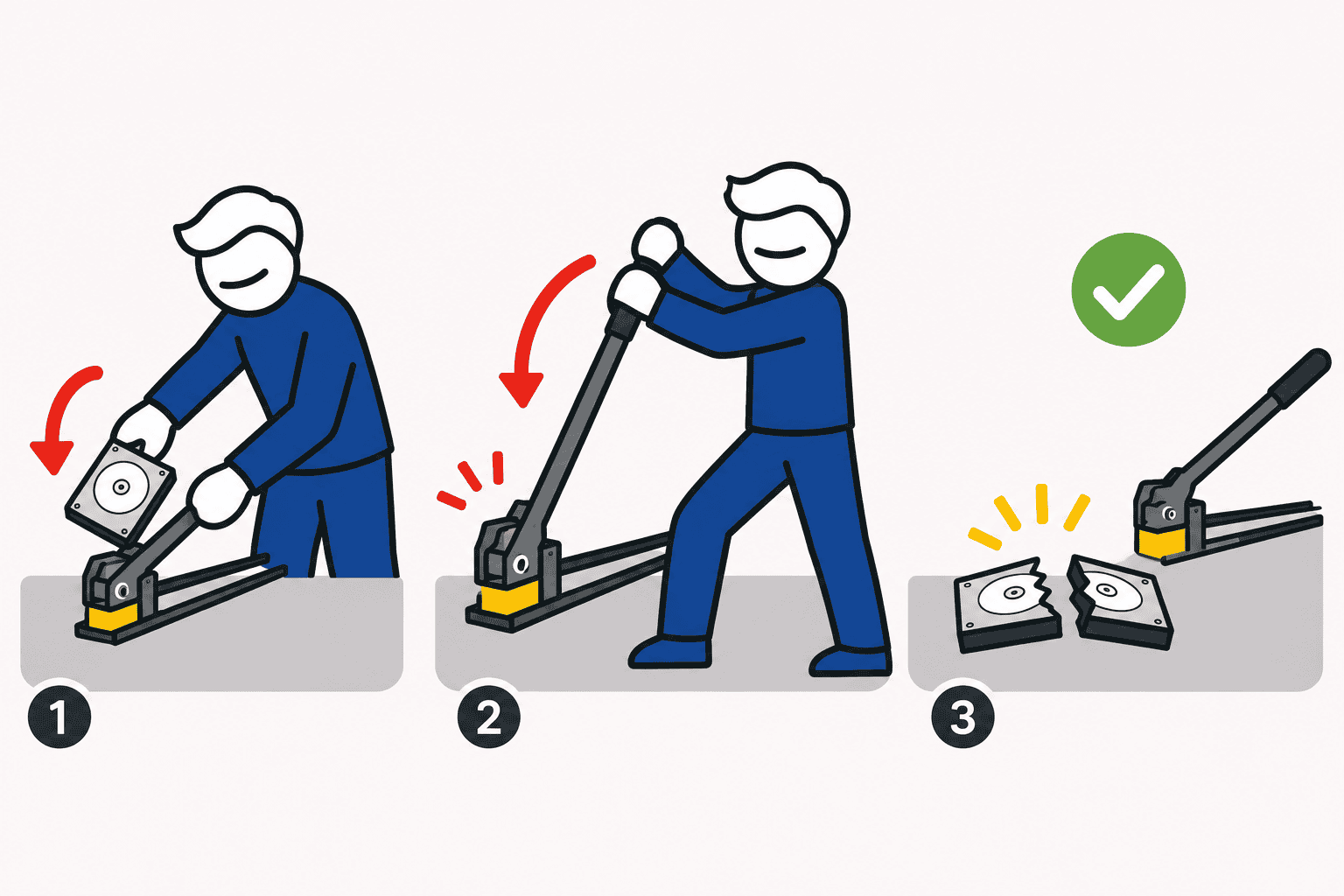
We test each drive's health at the same time. Older hard drives have moving parts that wear out, so any that aren't at 100% health are destroyed rather than reused. Solid state drives have no moving parts, so the test is different: they need at least 80% health and no reallocated sectors, which are an early sign a drive is failing. Any drive that fails its health check, or can't be wiped, is destroyed. Drives are crushed on site, then sent to a specialist recycler for full destruction to the DIN 66399 standard.
We're certified to ISO 27001:2022, the international standard for information security. Businesses that donate equipment get a data destruction certificate listing the serial number of every device. See our business IT disposal service.
Waste Less Live More
Why a Fair grade is a good thing
A marked case is the reason a perfectly good laptop gets thrown away. Grading by looks alone means a working device with a chipped corner gets a second life instead of becoming e-waste.
Most of the environmental cost of a laptop comes from making it, not using it. A 2023 peer-reviewed study from Cranfield University found that choosing a remanufactured laptop over a new one prevents roughly 316 kg of CO₂ emissions, cutting its carbon impact by over 93%. Keeping a working machine in use for a few more years avoids that cost.
Every sale also funds the rest of what we do as a charity, including our Repair Cafés, community events and Tech Gifting.
Questions
Frequently asked questions
Does the grade affect how a device works?
No. Every device passes the same tests before it's graded. The grade only describes marks on the case and screen.
What's the difference between Grade A and Grade B refurbished?
On most sites, Grade A means near mint and Grade B means light scratches or scuffs. Ours are called Very Good and Good, and the comparison above shows what each one covers.
Is a Fair or Grade C laptop worth buying?
If you care how it runs more than how it looks, yes. A Fair laptop is tested to the same standard as a Very Good one and costs less. Every mark is listed and photographed.
Do all sellers use the same grades?
No. There's no shared standard, and the same word can mean different things on different sites. Check each seller's own definitions.
Does the grade change the warranty?
No. Every device comes with a 12-month warranty, whatever its grade. If something goes wrong under warranty, we cover the return postage. And if you change your mind, you can return it within 30 days.
What battery health will I get?
Every listing shows one of two bands, 70 to 80% or 80%+. Devices with a replaced battery are always 80%+.
Shop refurbished
Find your next laptop
Every listing shows its grade and battery band, so you know what you're getting before it arrives.
Or browse refurbished desktop PCs. Questions about a listing? Get in touch